Smart Cap Discount – Up to 55% OFF on Unlimited Plans

Unlimited Plan Now Only $11.90!
Free shipping included
Smart Cap Discount – Up to 55% OFF on Unlimited Plans
Unlimited Plan Now Only $11.90!
Free shipping included
FAQs
Global WiFi is Japan's leading portable Wi-Fi rental service for international travelers, now available in the United States! We provide worldwide internet access through our pocket-sized Wi-Fi routers that connect to local telecommunications networks, ensuring consistent connectivity throughout your trip.
Trusted by over 24 million travelers worldwide, we've been Japan's most popular portable Wi-Fi service for 9 consecutive years and counting.
Our service works in 4 simple steps:
- Order online by selecting your destination, travel dates, data plan, and shipping/return method
- Pick up your device at our designated locations in New York City or Honolulu, or receive it via FedEx delivery
- Enjoy your trip while staying connected
- Return your device to our designated locations in New York City or Honolulu, or use our FedEx Easy Return Kit to ship it back
Connect to your Global WiFi device in 3 easy steps:
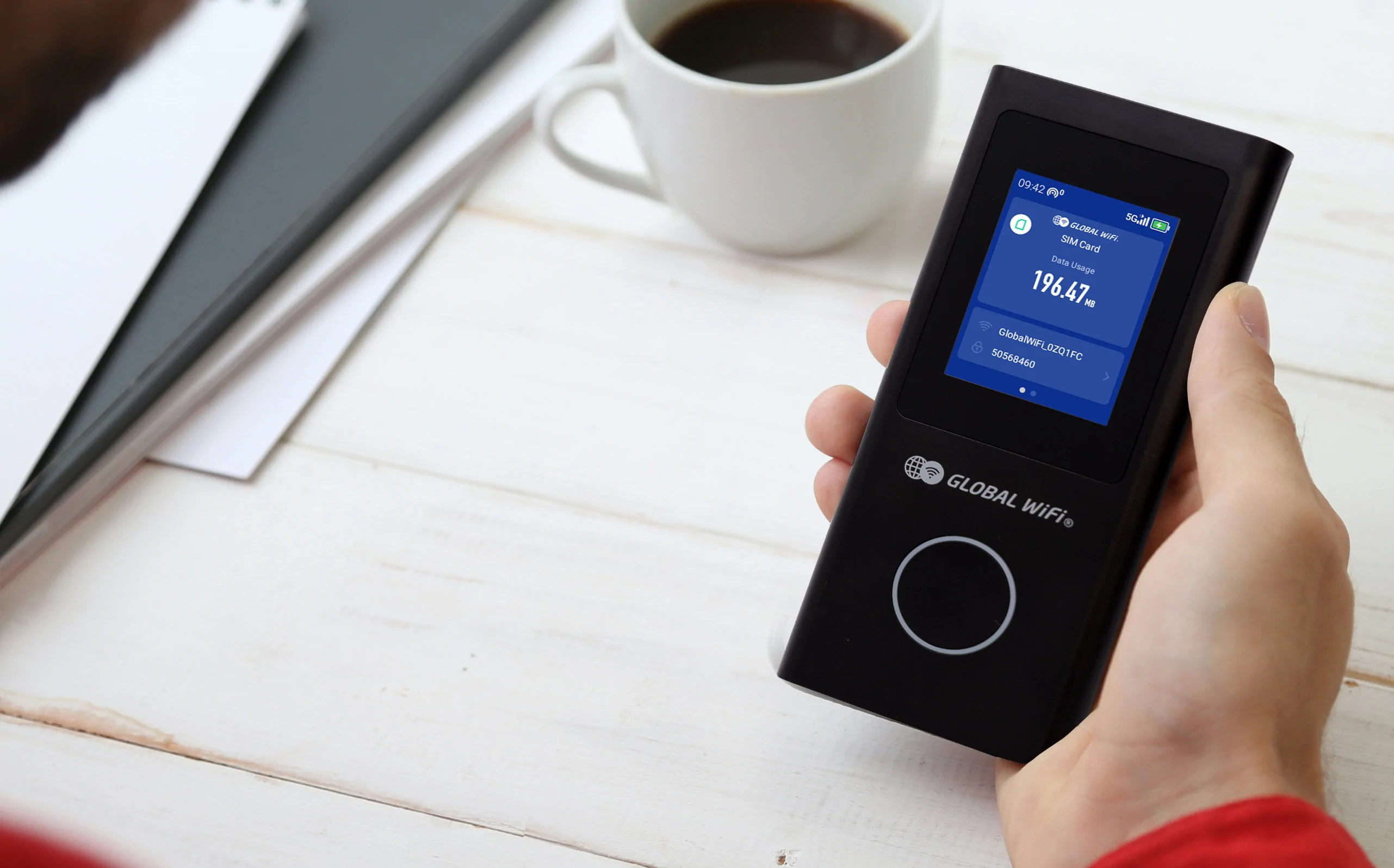
- Press the circular button under the screen to turn on your device
- Go to Wi-Fi settings on your personal device and select the network name shown on your Global WiFi device's screen
- Enter the provided password and you're connected
After initial setup, all you have to do is press the button on your Global WiFi device to connect your personal electronics to the internet.
Your Global WiFi device works with any personal electronics that connect to Wi-Fi, including:
- Smartphones
- Tablets
- Laptops
- Smartwatches
- Gaming consoles
- Digital cameras
- Portable speakers
Global WiFi is currently available in 170+ destinations:
Europe: Aland Islands, Albania, Andorra, Armenia, Austria, Azerbaijan, Azores, Balearic Islands (Ibiza, Mallorca, Menorca), Belgium, Bosnia and Herzegovina, Bulgaria, Canarias, Ceuta, Croatia, Cyprus, Czech Republic, Denmark, Estonia, Faroe Islands, Finland, France, French reunion, Georgia, Germany, Gibraltar, Greece, Guernsey, Hungary, Iceland, Ireland, Isle of Man, Italy, Jersey, Latvia, Liechtenstein, Lithuania, Luxembourg, Macedonia, Madeira Island, Malta, Melilla, Moldova, Monaco, Montenegro, Netherlands, Norway, Poland, Portugal, Romania, Russia, San Marino, Serbia, Slovakia, Slovenia, Spain, Sweden, Switzerland, Turkey, Ukraine, United Kingdom, Vatican City
Asia & Middle East: Bahrain, Bangladesh, Brunei, Cambodia, China, Hong Kong, India, Indonesia, Israel, Japan, Jordan, Kazakhstan, Kuwait, Kyrgyzstan, Laos, Macau, Malaysia, Maldives, Mongolia, Nepal, Oman, Pakistan, Philippines, Qatar, Saudi Arabia, Singapore, South Korea, Sri Lanka, Taiwan, Tajikistan, Thailand, UAE, Uzbekistan, Vietnam
Americas & Caribbean: Anguilla, Antigua and Barbuda, Argentina, Aruba, Bahamas, Belize, Bermuda, Bolivia, Brazil, British Virgin Islands, Canada, Cayman Islands, Chile, Colombia, Costa Rica, Curacao, Dominican Republic, Ecuador, El Salvador, French Guiana, Grenada, Guadeloupe, Guam, Guatemala, Guyana, Haiti, Honduras, Jamaica, Martinique, Mexico, Nicaragua, Panama, Paraguay, Peru, Puerto Rico, Rota, Saint Martin (French part), Saint Vincent & the Grenadines, Saipan, Sint Maarten, Suriname, Tinian, Trinidad and Tobago, Turks and Caicos Islands, United States, Uruguay, US Virgin Islands, Venezuela
Oceania: Australia, Fiji, French Polynesia, Nauru, New Caledonia, New Zealand, Papua New Guinea, Samoa, Tonga, Vanuatu
Africa: Algeria, Angola, Botswana, Burkina Faso, Cameroon, Congo, Egypt, Ethiopia, Ghana, Kenya, Liberia, Madagascar, Mali, Mauritius, Morocco, Namibia, Nigeria, Senegal, Seychelles, Sierra Leone, South Africa, Tanzania, Tunisia, Uganda, Western Sahara, Zambia, Zimbabwe
Speeds will vary depending on a few factors including what local telecommunication networks are available in your area, and how congested the networks are.
Our telecommunication networks are either 3G, 4G, or 5G-- 4G and 5G being the most common speeds.
- 3G (2-14 Mbps)
- Watching a YouTube video in 480p: You might need to wait a few seconds for it to buffer.
- Basic browsing: Good for emails and light web browsing with minimal images or videos.
- 4G (75-150 Mbps)
- Streaming Netflix in 1080p HD: Smooth with no buffering.
- Video calls: Stable and high-quality for platforms like Zoom or FaceTime.
- 5G (up to 2.5 Gbps)
- Streaming 4K or even 8K video: Seamless with zero buffering.
- Online gaming: Ultra-low latency, meaning actions happen almost in real time, giving you a competitive edge.
Destinations with 5G:
Europe: Austria, Belgium, Bulgaria, Croatia, Cyprus, Czech Republic, Finland, France, Germany, Greece, Hungary, Iceland, Ireland, Italy, Latvia, Lithuania, Luxembourg, Malta, Netherlands, Portugal, Romania, Slovenia, Spain, Sweden, Switzerland, United Kingdom
Asia and Oceania: Australia, China, Guam, Hong Kong, India, Japan, Malaysia, Maldives, Macao, New Zealand, Oman, Philippines, Singapore, South Korea, Taiwan, Thailand
Americas: Brazil, Canada, Mexico, Peru, United States
Middle East & Africa: Bahrain, Kuwait, Mauritius, Saudi Arabia, South Africa, United Arab Emirates
Destinations with 4G:
Europe: Aland Islands, Albania, Andorra, Azerbaijan, Azores, Balearic Islands (Ibiza, Mallorca, Menorca), Canarias, Ceuta, Denmark, Estonia, Georgia, Gibraltar, Guernsey, Isle of Man, Jersey, Kazakhstan, Kyrgyzstan, Liechtenstein, Madeira Island, Macedonia, Martinique, Melilla, Monaco, Montenegro, Norway, Poland, Russia, Saint Martin (French part), San Marino, Serbia, Slovakia, Turkey, Ukraine, Uzbekistan, Vatican City
Asia and Oceania: Bangladesh, Brunei Darussalam, Cambodia, Fiji, Indonesia, Israel, Laos, Mongolia, Nepal, Pakistan, Papua New Guinea, Rota, Saipan, Samoa, Sri Lanka, Tinian, Tonga, Vietnam
Americas: Argentina, Chile, Colombia, Costa Rica, Curaçao, Dominican Republic, Ecuador, El Salvador, Guadeloupe, Guatemala, Jamaica, Nicaragua, Panama, Paraguay, Puerto Rico, Uruguay
Middle East & Africa: Algeria, Angola, Burkina Faso, Cameroon, Congo, Egypt, French Polynesia, French reunion, Ghana, Jordan, Kenya, Madagascar, Mali, Morocco, Nigeria, Qatar, Senegal, Seychelles, Sierra Leone, Tanzania, Tunisia, Zambia
Destinations with 3G:
Europe: Armenia, Bosnia & Herzegovina
Asia and Oceania: Tajikistan, Vanuatu
Americas: Anguilla, Antigua and Barbuda, Aruba, Bolivia, Cayman Islands, French Guiana, Grenada, Guyana, Haiti, Saint Vincent & the Grenadines, Suriname, Trinidad and Tobago, Turks and Caicos Islands, Venezuela
Middle East & Africa: Liberia, Western Sahara
Your Global WiFi device can be charged with a USB-C cable such as the one included in your order. It will take about 3-5 hours to fully charge your Global WiFi device with the provided cable.
Fully charged, your Global WiFi device can provide Wi-Fi for approximately 10 hours.
Please Note that the battery life of your Global WiFi device decreases more quickly when multiple personal electronics are connected to its internet.
While the device doesn't support traditional phone calls, you can make voice and video calls through internet-based apps including:
- FaceTime
- Signal
No one can connect to your Wi-Fi unless you give them your Global WiFi device's network name (SSID) and password.
Your Global WiFi's internet is just as safe as your internet at home.
Yes, our Unlimited plans allow you to use unlimited data.
However, in accordance with our terms and conditions, if excessive communication is detected, we may restrict your high-speed data use.
You can connect multiple personal electronic devices of any type to your Global WiFi router. For optimal performance, we recommend:
- Connecting no more than 5 devices at once
- Using an unlimited data plan when sharing with multiple devices
Important considerations when connecting multiple devices:
Internet Speed:
- More connected devices means slower speeds for each device
- Speed is shared among all connected devices
Data Usage:
- Daily data allowance is shared between all devices
- If you exceed the daily limit, speeds will be reduced until midnight EST the next day
- We strongly recommend unlimited data plans for multiple users
Battery Life:
- Multiple connections drain the battery faster
If you've selected a multi-destination plan, you can use your Global WiFi device in the destinations you included in your search.
Even if you've selected a multi-destination plan, your Wi-Fi connection can be temporarily interrupted as a result of having to reconnect to the new destination's network. To reconnect, restart your Global WiFi device.
If you need to add a new destination to your plan, please contact our customer support team at 1-888-747-8869.
We do not recommend using our Global WiFi device on cruise ships or airplanes since there is very weak signal. Just as your phone has problems connecting on a cruise ship or an airplane, our Global WiFi device has weak signal in the middle of the ocean or up in the air.
We recommend to be within about 16 ft of your Global WiFi device to maintain optimal Wi-Fi connection.
This range can change if there are walls or other obstacles between the Global WiFi device and the traveler. Being in crowded areas like music venues or being underground can also weaken the Wi-Fi connection.
To rent a Global WiFi device:
- Click the green "Rent Wi-Fi" button at the top right of the page
- Type in your destination(s), your arrival and departure date, and hit search
- Choose your data plan, any add-ons, and your shipping and return methods.
- Log in or sign up for a Global WiFi account
- Check out using your Credit card, Apple Pay, or Google Pay
Once your order is complete, you will receive an order confirmation email with further details.
Please make sure to return your Global WiFi device within 2 business days of your return via the return method you selected. If you don't return your device in time, you could be charged a fee.
Your departure date is the date you leave the US and your rental service starts. Note that this isn't the date you arrive at your destination. Your Global WiFi device is activated based on US Eastern Time, so if you enter the date you arrive at your destination, you may not be able to use it depending on the time difference.
Your return date is the date you arrive back in the US, not the date you leave your destination. Your Global WiFi device is deactivated based on US Eastern Time too, so if you enter the date you leave your destination, you may not be able to use it on the last day.
The Unlimited plan might be a better fit if you:
- Stream or watch videos on Netflix, YouTube, etc.
- Have online meetings with video over services like Zoom or Google Meet
- Use social media frequently
- Connect multiple personal electronics or share the device with another person
Alternatively, the 1 GB or 500 MB plans could be a fit if you:
- Only connect one personal electronic such as a phone, and only use Wi-Fi to email, text, or browse websites
Data Usage Policy for Multi-Destination Lite/Plus Plans
If you're traveling to multiple destinations, some locations have a daily data limit of 500 MB or 1 GB, even with an Unlimited or 1 GB plan due to local carrier restrictions. This affects the following destinations:
Aland Islands, Albania, Algeria, Angola, Anguilla, Antigua and Barbuda, Argentina, Armenia, Aruba, Azerbaijan, Bahrain, Bangladesh, Bolivia, Bosnia & Herzegovina, Brunei Darussalam, Burkina Faso, Cameroon, Cayman Islands, Chile, Colombia, Congo, Costa Rica, Curaçao, Dominican Republic, Ecuador, Egypt, El Salvador, Fiji, French Guiana, French Polynesia, Georgia, Ghana, Global Multi-Destination, Grenada, Guadeloupe, Guatemala, Guernsey, Guyana, Haiti, Isle of Man, Jamaica, Jersey, Jordan, Kazakhstan, Kenya, Kuwait, Kyrgyzstan, Liberia, Macedonia, Madagascar, Maldives, Mali, Martinique, Mauritius, Mexico, Montenegro, Morocco, Nepal, Nicaragua, Nigeria, Oman, Pakistan, Panama, Papua New Guinea, Paraguay, Peru, Puerto Rico, Qatar, Russia, Saint Martin (French part), Saint Vincent & the Grenadines, Samoa, Saudi Arabia, Senegal, Serbia, Seychelles, Sierra Leone, South Africa, Sri Lanka, Suriname, Tajikistan, Tanzania, Tonga, Trinidad and Tobago, Tunisia, Turks and Caicos Islands, Ukraine, Uruguay, Uzbekistan, Vanuatu, Venezuela, Western Sahara, Zambia.
What Happens If You Reach Your Data Limit?
For travelers using our 1 GB or 500 MB plans, if you reach your daily data limit, your connection speed will automatically reduce to 1 Mbps until 12:00 AM Eastern Time. Since adding more data isn't currently possible during your rental period, we strongly recommend choosing the Unlimited plan if you're uncertain about your data needs. This way, you can focus on enjoying your journey without worrying about data constraints.
To get Wi-Fi coverage across multiple countries or destinations:
Start by clicking the green "Rent Wi-Fi" button in the top right corner of the website. This will take you to our search page.
On the search form, look for the "Multi-Destination Plans" tab next to "Single-Destination Plans" and select it. You can then:
- Enter each destination using the "+ Add a Destination" button that appears below the "Where are you going?" field
- Set your full trip dates (from when you leave the US until your return)
- Click search to view available plans that cover all your destinations
Our search results will show you Wi-Fi plans that work across all the countries you'll be visiting, so you can stay connected throughout your entire journey without needing separate plans for each location.
Data Caps for Multi-Destination Lite/Plus Plans:
While many of our multi-destination plans offer unlimited data, some destinations have a 500 MB or 1 GB daily data cap due to local carrier restrictions. This cap applies even if you've selected an unlimited data plan. Here is the list of destinations with a 500 MB or 1 GB data cap:
Aland Islands, Albania, Algeria, Angola, Anguilla, Antigua and Barbuda, Argentina, Armenia, Aruba, Azerbaijan, Bahrain, Bangladesh, Bolivia, Bosnia & Herzegovina, Brunei Darussalam, Burkina Faso, Cameroon, Cayman Islands, Chile, Colombia, Congo, Costa Rica, Curaçao, Dominican Republic, Ecuador, Egypt, El Salvador, Fiji, French Guiana, French Polynesia, Georgia, Ghana, Global Multi-Destination, Grenada, Guadeloupe, Guatemala, Guernsey, Guyana, Haiti, Isle of Man, Jamaica, Jersey, Jordan, Kazakhstan, Kenya, Kuwait, Kyrgyzstan, Liberia, Macedonia, Madagascar, Maldives, Mali, Martinique, Mauritius, Mexico, Montenegro, Morocco, Nepal, Nicaragua, Nigeria, Oman, Pakistan, Panama, Papua New Guinea, Paraguay, Peru, Puerto Rico, Qatar, Russia, Saint Martin (French part), Saint Vincent & the Grenadines, Samoa, Saudi Arabia, Senegal, Serbia, Seychelles, Sierra Leone, South Africa, Sri Lanka, Suriname, Tajikistan, Tanzania, Tonga, Trinidad and Tobago, Tunisia, Turks and Caicos Islands, Ukraine, Uruguay, Uzbekistan, Vanuatu, Venezuela, Western Sahara, Zambia.
Receiving Your Global WiFi Device
Pickup in New York City:
-
Sunrise Mart (Midtown)
Address: 12 E 41st Street, New York, NY 10017
Hours: Open daily, 10:00 AM – 7:30 PM EST -
Sunrise Mart (SOHO)
Address: 494 Broome St, New York, NY 10013
Hours: Open daily, 2:00 PM – 8:00 PM EST -
Sunrise Mart (Brooklyn - Japan Village)
Address: 934 3rd Ave, Brooklyn, NY 11232
Hours: Mon – Thu: 11:00 AM – 8:00 PM EST / Fri: 11:00 AM – 9:00 PM EST
- Pick up your Global WiFi device 1–3 business days before your departure date
- Early pickup available for a $5 Device Hold Fee per additional business day
- Select your pickup date during the ordering process
- Show your Order Confirmation QR Code at the counter
Express Shipping via FedEx:
- Receive via FedEx 1-3 business days before your departure date
- Earlier delivery available with a $5 fee per additional business day
- Select your delivery date during the ordering process
Returning Your Device
All returns must be completed within 2 business days of returning to the United States to avoid late fees. If you picked up your device, it must be dropped off, and if you shipped your device, you must return it via FedEx Easy Return Kit.
Drop Off in New York City:
- Available at all Sunrise Mart locations (Midtown, SOHO, and Brooklyn)
- Available at Daniel K. Inouye International Airport (HNL)
Find us at: Terminal 2, 1st Floor, next to the Baggage Service Counter near Baggage Claim #18
Available 24 hours a day
FedEx Easy Return Kit:
-
Comes with your Global WiFi device and includes:
- Return packaging
- Pre-paid shipping label
- Package must be postmarked within 2 business days of your return date
Late Returns:
- Returns after 2 business days will incur a late fee of $20 per day
Our store pickup option in New York City offers the most flexibility and assurance when it comes to receiving your Global WiFi device on time:
- With the pickup option, you can order up until the day of your departure (subject to store inventory)
- Pickup is available at our designated locations: Sunrise Mart (Midtown, SOHO, and Brooklyn)
Our store pickup option in Honolulu offers the most flexibility and assurance when it comes to receiving your Global WiFi device on time:
- With the pickup option, you can order up until the day of your departure (subject to store inventory)
- Please refer to the "How do I receive and return my Global WiFi device?" section above for specific addresses and business hours.
Our shipping options are also speedy:
Standard Delivery (Free):
- Order deadline: 1 PM (EST) three business days before departure
- Delivery timing: By 8 PM two business days after shipment date
Next-Day Delivery ($49.90):
- Order deadline: 1 PM (EST) two business day before departure
- Delivery timing: By 8 PM the next business day after shipment date
Please note when selecting your pickup/delivery date during checkout, your cheapest shipping method and all possible delivery/pickup dates will be shown to you.
During peak travel seasons it's possible for us to run out of stock especially if you are making your order very close to your departure date. To avoid this, we recommend that you make your order as early as possible so that we can ensure you have a device for the time you are traveling.
For urgent needs, email us at [email protected]
Payment can be made by credit card, Apple Pay, or Google Pay. No deposit is required.
If you are traveling to Singapore, we require the passport number of the person who is ordering and using the Global WiFi device to comply with local governments' regulations.
For all other destinations, we do not require passport numbers.
Yes, another person can pickup your Global WiFi device. Please make sure whoever is picking up has the Order Confirmation email that includes the required QR code for pickup.
The rental period for your Global WiFi device covers the entire duration between when you receive and return the device, regardless of your actual usage patterns during your trip. This means the rental charges apply for all days you have the device in your possession, even on days when you might not need internet connectivity.
While we understand that some travelers might prefer to pay only for their active usage days, our current rental system is designed to provide a seamless, uncomplicated experience that ensures you have connectivity available whenever you might need it during your travels. This approach allows us to maintain reliable service and straightforward pricing for all our customers.
Enrolling in the Device Insurance will fully cover your fees in the event of loss, theft, or damage to your Global WiFi device.
Due to unforeseen circumstances like bad weather, traffic,etc., delays in shipping may occur.
For the most up to date information, please check your package's location via your FedEx tracking number on the FedEx website
If you do not receive your Global WiFi device by the time you depart, please contact our customer support team at 1-888-747-8869. Our customer support team may be able to provide you an alternative way to stay connected during your trip.
If your order arrives early, there is no additional fee.
We will need the QR code in your Order Confirmation email. Please have this handy when you pickup your Global WiFi device.
All rental orders come with:
- Global WiFi device
- AC adapter and USB-C cable
- Travel pouch
- Conversion Plug
In addition to the above, a portable charger can be selected as an add-on to your order. We recommend adding a portable charger to your order if you use our Global WiFi device to connect multiple electronics or if you plan to be outdoors for most of the day.
Please only turn on your Global WiFi device after you arrive at your destination to avoid being charged for connecting to multiple countries' networks.
iPhones & Android
- Turn on Airplane Mode if you do not plan to make and take international calls with your pre-existing sim card. You can still connect to the internet even with Airplane Mode on.
- If you plan to make and take international calls while abroad, turn off data roaming.
Once your payment is processed, you will receive an order confirmation email from [email protected]. Please make sure you are available to receive emails from this email address.
Our Cancellation Policy:
- We accept cancellations for orders that haven’t been picked up. For orders scheduled for pickup, cancellations must be made at least three business days before the desired receiving date. Once your order has shipped or the receiving date is within three business days, cancellations are no longer possible.
- Please note that all times are based on Eastern Time.
To cancel your order, contact our customer support team att 1-888-747-8869 or [email protected]
Refund will be issued to the credit card you used for your order.
Please contact our customer support team at 1-888-747-8869 as soon as possible to notify us of your correct shipping address. Our team will do its best to correct your address and deliver your device on time, however, any re-shipping costs will be charged to your credit card on file.
While you can extend or shorten your rental term before you receive your Global WiFi device, we cannot change your rental term after you receive the device. Even if you return the device earlier than yur original return date, we will not be able to refund the difference in price.
You can save data by not watching videos, using social media, and not having video calls.
You can also take some preliminary measures with your phone settings to save on data:
iPhone (iOS)
- Turn off data roaming settings
- Turn off iCloud backup
- Turn off automatic app updates
Android
- Turn off data roaming settings
- Turn off the Google Play Store automatic app updates
You can check how many GB of data you've used that on the home screen of your Global WiFi device. This number resets at 12:00 AM Eastern Time when your daily data limit for the day is reset.
Your high-speed data resets daily at 12:00 AM Eastern Time. This applies regardless of your location. Once the clock strikes midnight ET, your full-speed internet access will be immediately restored.
You can contact our customer support team via phone, email or form.
Phone
- For urgent matters, call 1-888-747-8869 to get in touch with our customer support team 24 hours a day, 7 days a week
- For general inquiries or non-urgent matters, email us at [email protected]
Form
- To report issues about connectivity or about your Global WiFi device, fill out this form here or from the QR code on the back of your Global WiFi device.
Slow internet can stem from 3 primary factors:
- Your high-speed data limit was reached and your a speed restriction was triggered. Your full-speed access will automatically return at 12:00 AM Eastern Time.
- Some locations aren’t conducive to signal:
- Indoor spaces with weak signal like subways
- Crowded areas such as a densely populated spot in a city or a big gathering like a conference
- Locations with electronic interferences like concert halls
- You might be connecting too many personal electronics to your Global WiFi device. Try disconnecting some of your personal electronics.
- Turn on your Global WiFi device. Slide your finger across to the left to see the second Home Screen page.
- Tap on More on the bottom right corner.
- Tap onConnections in the top right corner.
- You can see your "Connected Devices", and also your Blocklist that prevents certain electronics from connecting to your Global WiFi device.
Data-saving settings are enabled to help our users prevent unexpected data overuse that could lead to hitting your data speed limit or usage limit. To turn off the data-saving settings, follow these steps:
- Turn on your Global WiFi device. Slide your finger across to the left to see the second Home Screen page.
- Tap on More on the bottom right corner.
- Tap on Data Usage Protection on the right, second one from the top.
- Tap on the slider next to Enable so that it is disabled.
- Choose how long you want to disable your Data Usage Protection.
If your Data Usage Protection is enabled, it may affect the following apps in addition to app downloads and updates.
- App Store
- Google Play
- iCloud
- Sending images via iMessage
- Apple Music
Please contact us via email at [email protected] as soon as you decide to extend your rental period.If you continue to use the service without contacting us about the extension, we may charge you a late fee or suspend your Wi-Fi as it will be marked as not returned.
If you are enrolled in our Device Insurance:
- Contact our customer support team at 1-888-747-8869 from the incident location as soon as possible-- please don't wait until you return home
- Obtain an official police report documenting the theft
- Submit the police report to process your insurance claim
If you are not enrolled in our Device Insurance:
- You will be liable for the replacement cost of the Global WiFi device and any other accessories that were stolen.
Below are the replacement costs:
Global WiFi Device: $200
Pouch: $10
AC Adapter: $10
Multi-conversion plug: $10
USB-C Cable: $5
If the airline loses your luggage, we can extend your return window form 2 business days to 3 business days. Please contact our customer support team at 1-888-747-8869 to notify them that the airline has lost your luggage, and we will apply this extension to your account.
Yes, you will receive an email notification once your rental return is fully processed. Here's how the return notification process works:
When we receive your returned items, our logistics center will conduct a thorough check of all equipment. Please be aware that this process can take up to 7 days from the date of return, and may take longer if there are holidays during this period.
Once we complete our inspection, you will receive one of two possible email notifications:
- A return completion email confirming that all items have been received and checked
- A notification about any missing items, if we find the return is incomplete
If you haven't received any email notification within 10 days of returning your order, please contact our customer support team at 1-888-747-8869 or [email protected] for assistance.
If you discover you've forgotten to return some or all of your rental order, don't worry – follow these steps:
- Contact our customer support team at [email protected] as soon as you notice the missing items.
- Ship the remaining items to our logistics center at:
Vision USA Corp.
320 7th Avenue
BROOKLYN, NY US 11215
(A heads-up: you’ll be responsible for the shipping cost.)
Or, if you’re in Manhattan, you can drop off the items at Sunrise Mart in Midtown.
We do recommend returning your items as soon as possible to avoid late fees. These fees are calculated as follows:
($20 x number of late days) + (cost of any add-ons like Device Insurance x number of late days).
In addition to the details on your order confirmation email, our customer support team can issue a receipt. Please contact us at [email protected]